
Supervisor Role
The Supervisor role is built for elevated oversight of a team. It gives a user broad visibility into ongoing conversations across their group, along with the ability to step in when needed: reassigning or transferring conversations between agents, closing cases agents can't resolve on their own, and managing escalations so that nothing gets stuck. It's the role best suited to team leads who need to monitor performance and keep work moving, without necessarily needing full administrative control over the account.
Review the default permissions by role, keep in mind you can fully customize them at any time to match your workflow.
Dashboard
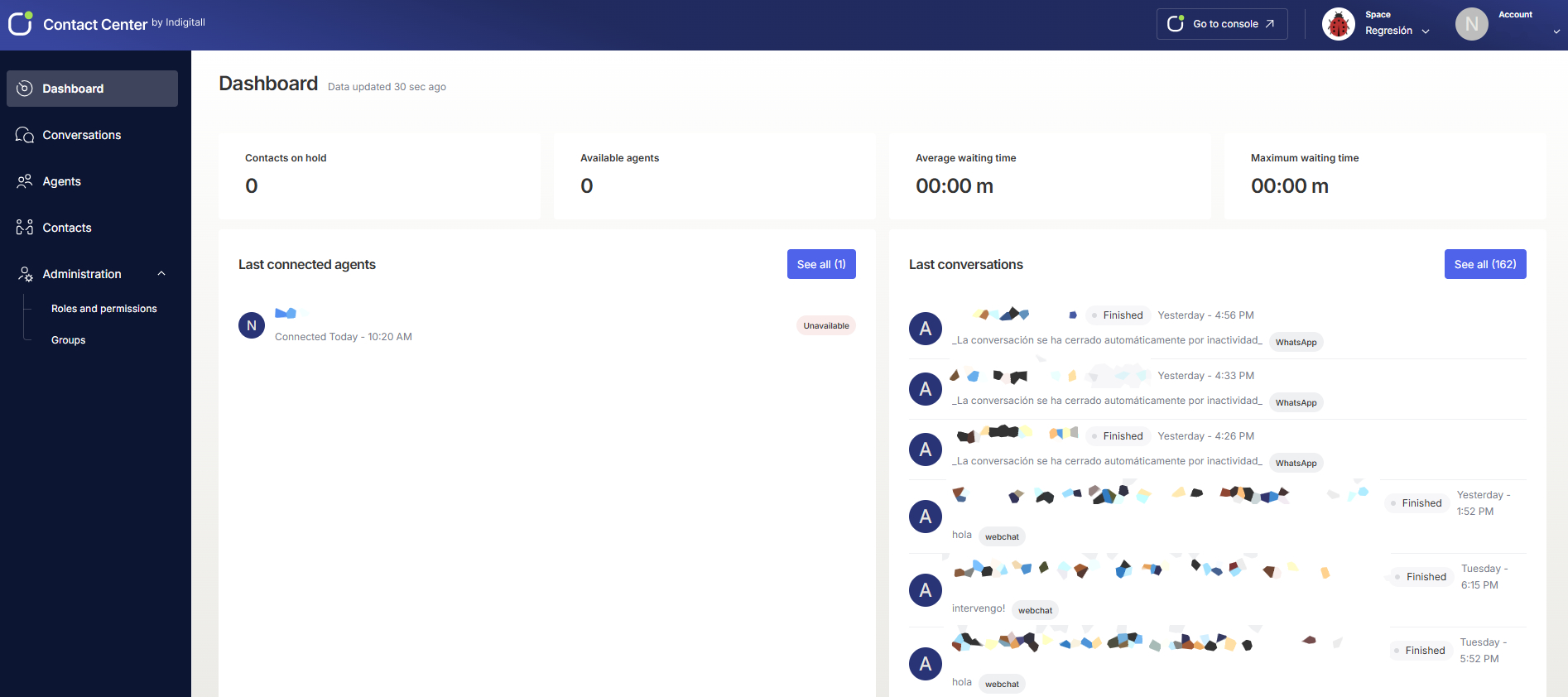
The Dashboard provides real-time operational overview metrics and system activity logs.
- Contacts on hold: Live count of queued customers awaiting agent assignment.
- Available agents: Total number of logged-in agents ready to accept conversations.
- Average waiting time: Mean customer queue wait duration (mm:ss).
- Maximum waiting time: Longest duration a customer has waited in the active queue (mm:ss).
- Last connected agents: Activity log displaying recent agent logins, connection timestamps, and availability badges.
- Last conversations: Feed of recent customer interactions showing contact names, message snippets, channel source badges (WhatsApp, web_chat), and completion status.
Conversations
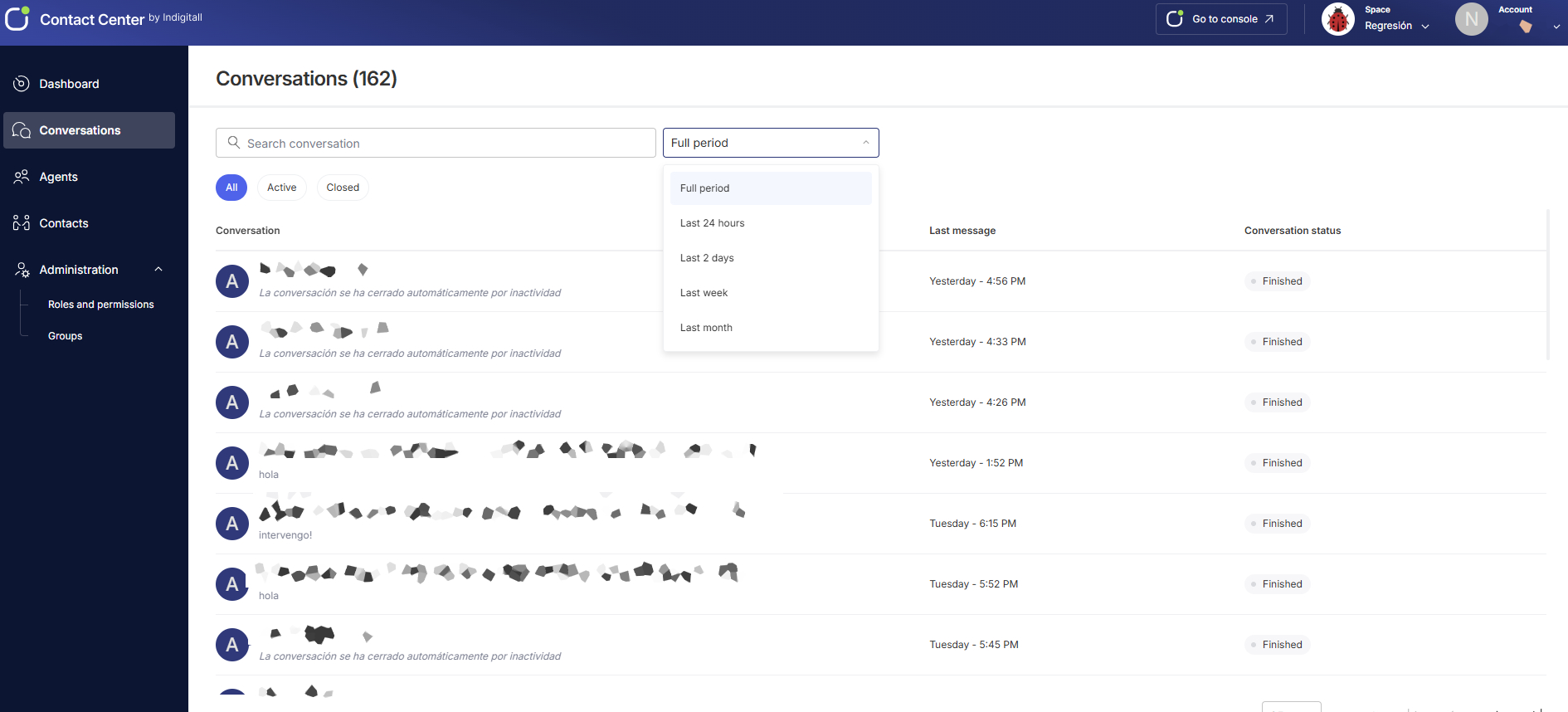
The Conversations section provides tools to review, filter, and track inbound and outbound message threads across channels.
- Filters & Search: Locate specific customer threads using the Search conversation bar. Segment lists using status tabs (All, Active, Closed) or timeframe presets (Last 24 hours, Last 2 days, Last week, Last month, Full period).
- Data Columns:
- Conversation: Displays customer identifier and a preview snippet of the most recent message.
- Last message: Displays the timestamp of the latest interaction.
- Conversation status: Displays current interaction state (e.g., Finished, Active).
Agents
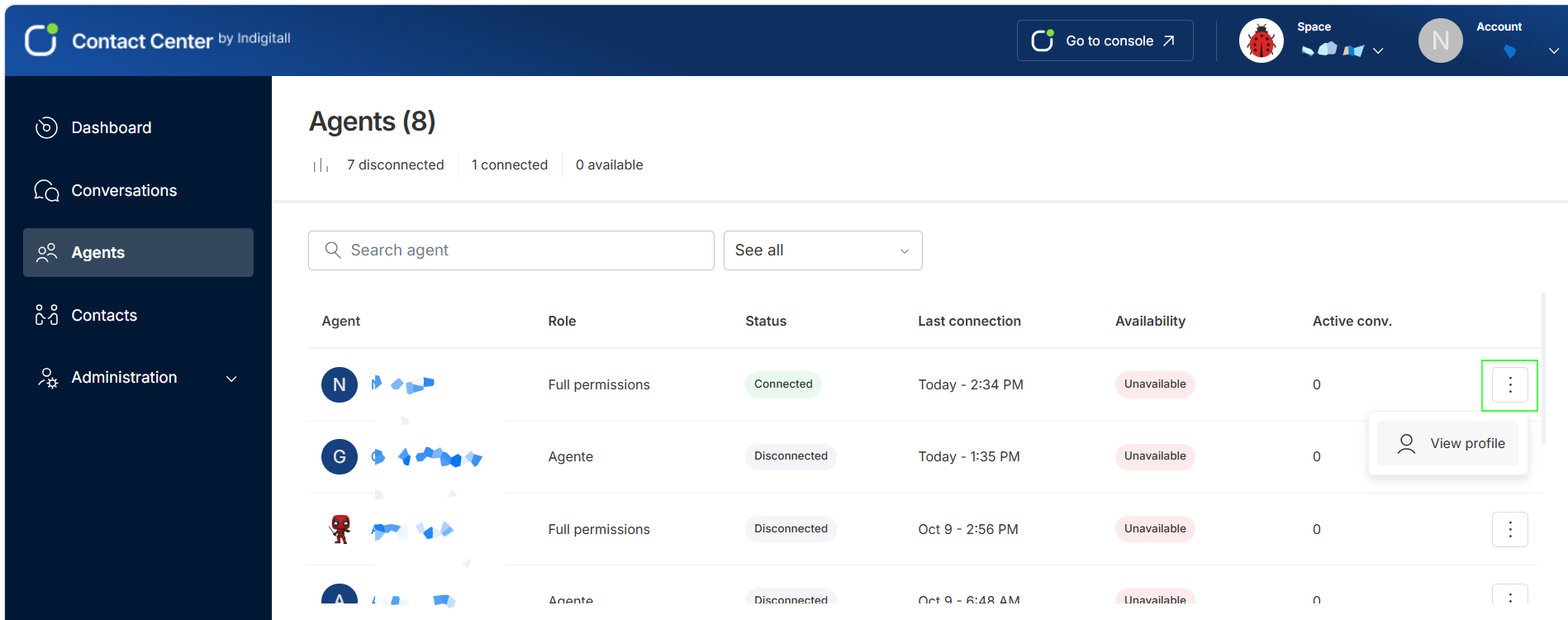
The Agents module tracks agent availability, workload distribution, and assigned account roles.
- Status Summary: Displays top-level counts for total registered agents, broken down by connected, disconnected, and available states.
- Filters: Search by agent name or filter using the status drop-down (Connected, Disconnected, Available, Unavailable).
- Table Metrics: The table shows the following information for each agent:
- Agent: The agent’s name and profile picture.
- Role: The role assigned to the agent, such as Full permissions, Supervisor, or Agent.
- Status: Whether the agent is Connected or Disconnected.
- Last connection: The date and time the agent last connected.
- Availability: Whether the agent can receive conversations (Available or Unavailable).
- Active conv.: The number of conversations the agent is currently handling.
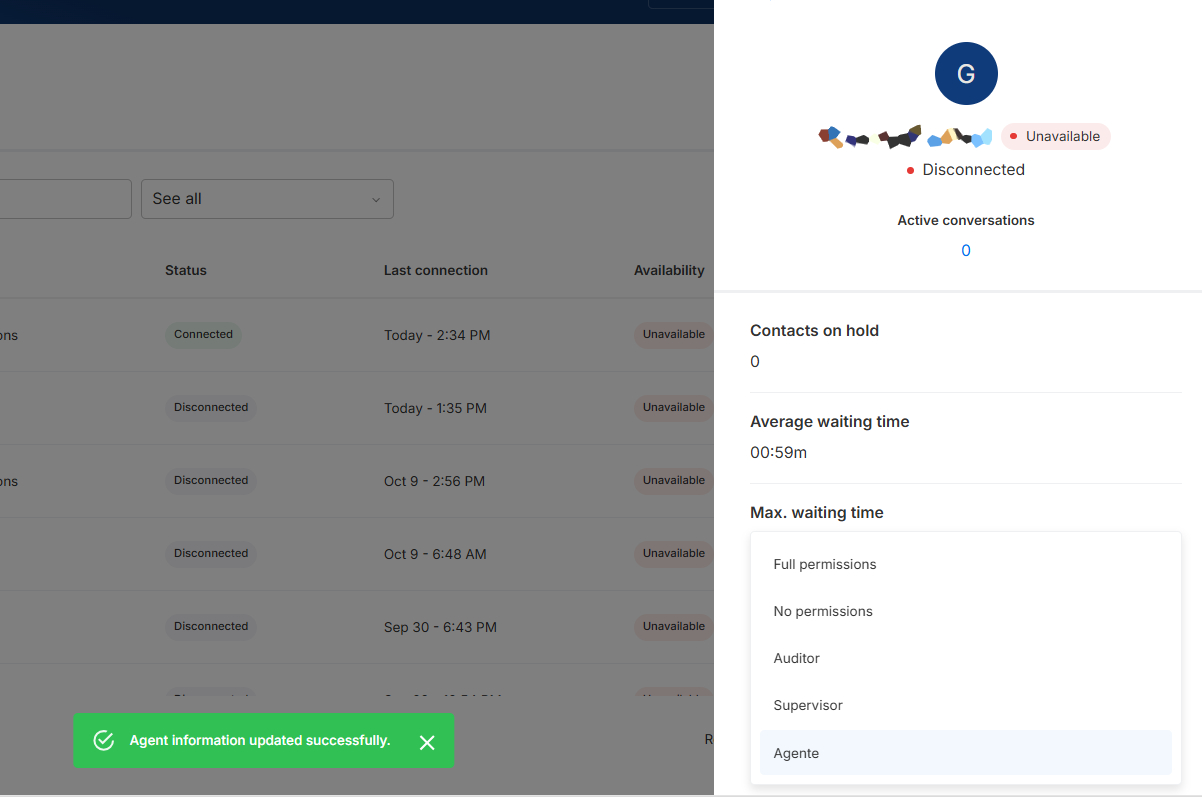
View an agent’s profile
To see more details about an agent, click the options menu (⋮) at the end of their row and select View profile.
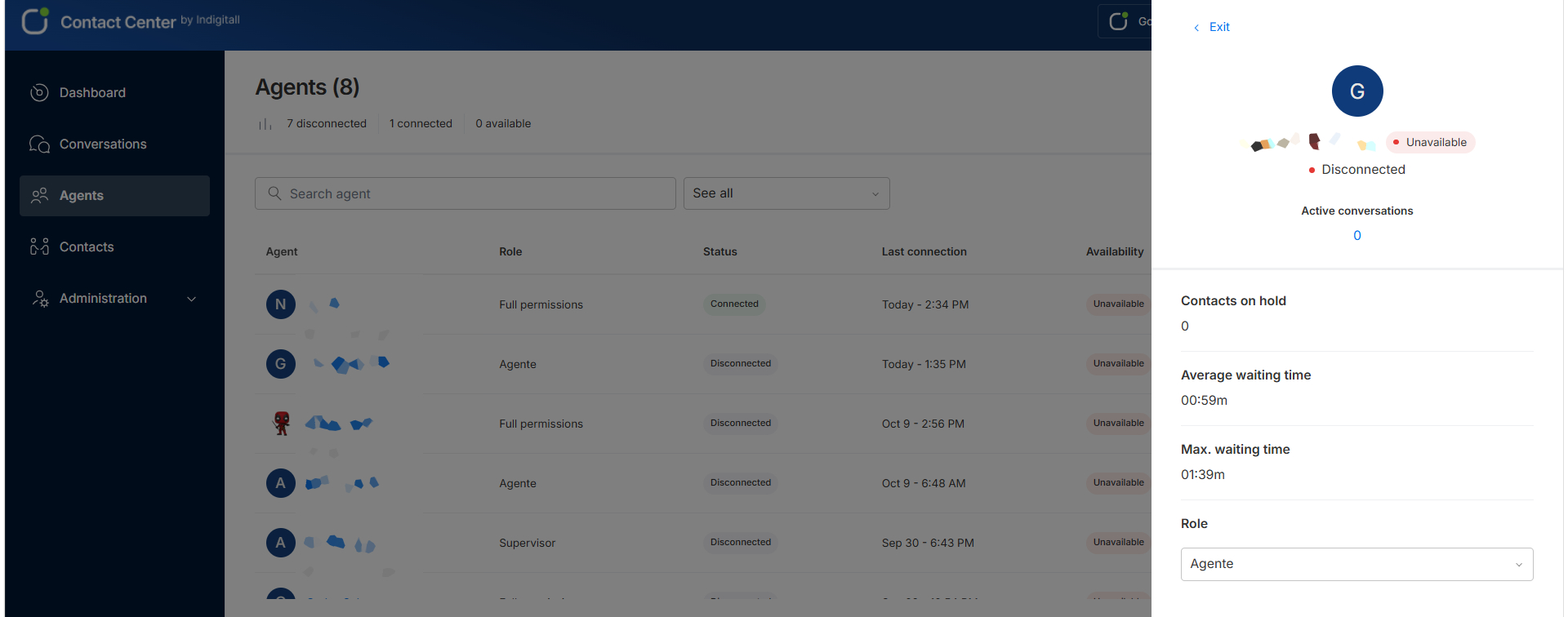
The agent’s profile opens in a side panel and shows:
- Availability and status: The agent’s availability (for example, Unavailable) and connection status (for example, Disconnected).
- Active conversations: The number of conversations the agent is currently handling.
- Contacts on hold: The number of contacts waiting to be attended.
- Average waiting time: The average time contacts wait before they’re attended.
- Max. waiting time: The longest time a contact has been waiting.
- Role: The role assigned to the agent.
Change an agent’s role
In the agent’s profile, click the Role dropdown. Select the new role. The available roles are:
- Full permissions
- No permissions
- Auditor
- Supervisor
- Agent
The change is applied right away, and the confirmation message Agent information updated successfully appears.
To close the profile, click Exit.
Contacts
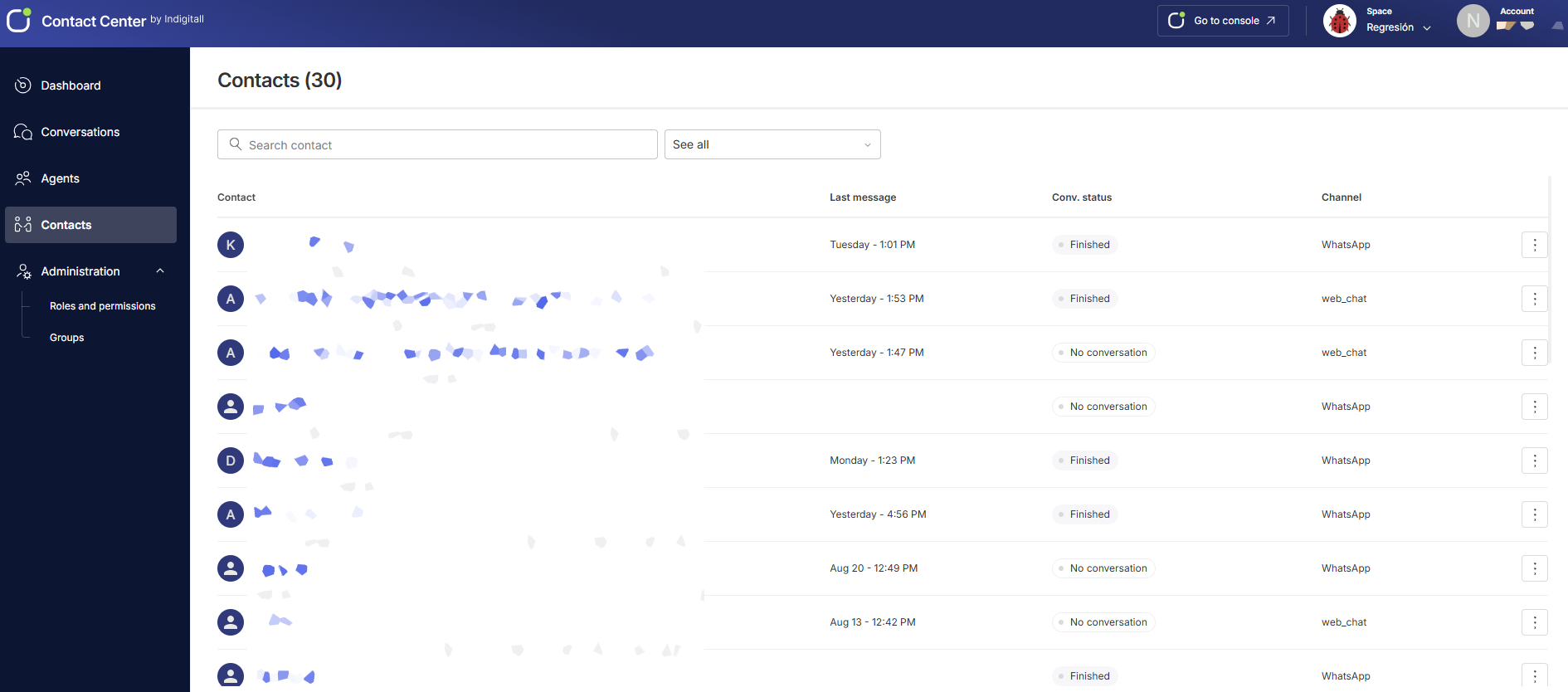
The Contacts module serves as the central directory for customer profiles created through messaging interactions.
- Directory Management: Easily locate profiles using the Search contact bar, or refine your full list using custom filters. You can segment contacts by conversation status (Active, Finished) as well as user status (Blocked, Unblocked).
- Contact Detail Columns:
- Contact: Customer profile name or identifier.
- Last message: Date and time of the last recorded interaction.
- Conv. status: State of the interaction (e.g., Finished, No conversation).
- Channel: Source origin platform (e.g., WhatsApp, web_chat).
- Action Menu (⋮): Access record management options (block contact)
Administration
The Administration menu configures access policies and system structure.
- Roles and permissions: Define access levels and visibility rights across platform functions for individual user roles (e.g. Supervisor, Agent, Auditor).
- Groups: Organize agents into departmental teams or routing groups to manage incoming traffic distribution and workload rules.
- Closure forms (Coming soon): This feature will allow you to create specific forms for agents to fill out when concluding a conversation.
Updated 14 days ago