
Configuration
To set up your Contact Center Service, follow these steps:
-
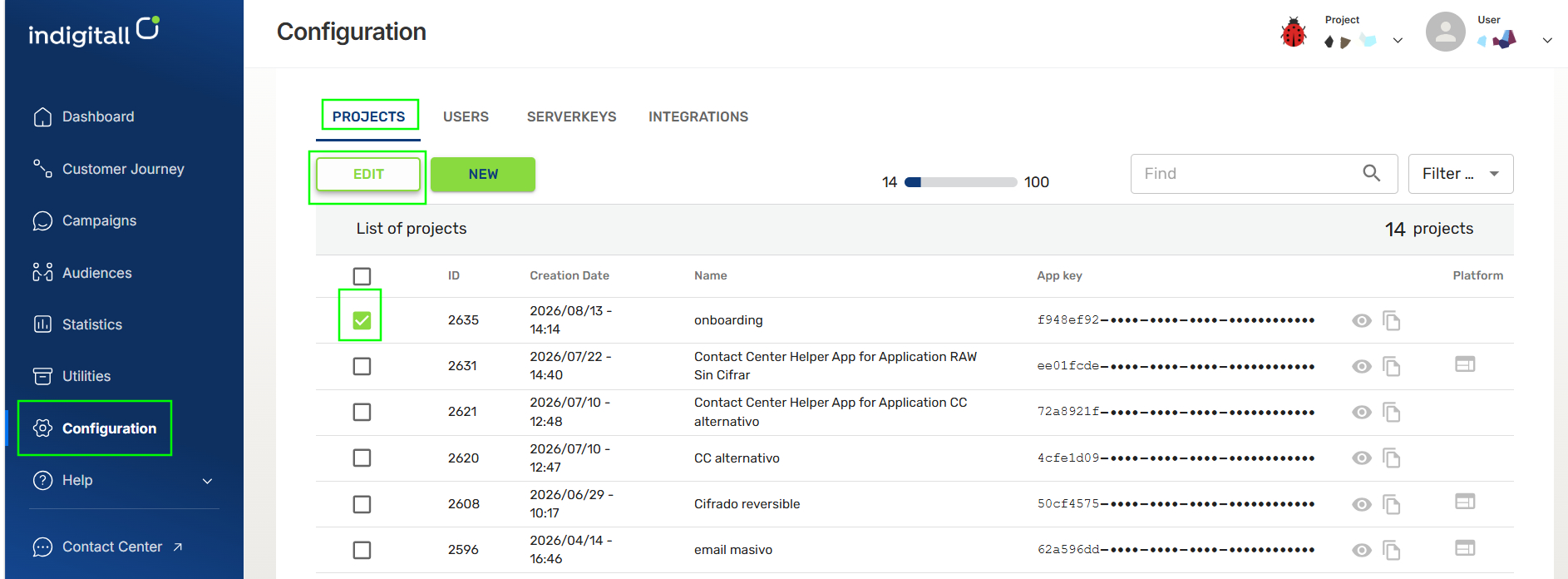
Click on Configuration in the left navigation sidebar of the indigitall platform and select the PROJECTS tab from the top horizontal menu. Select or Create a Project:
- To edit an existing project: Check the box to the left of the project you want to modify and click the EDIT button above the list.
- To create a new project: Click the green NEW button located next to the Edit button.
-
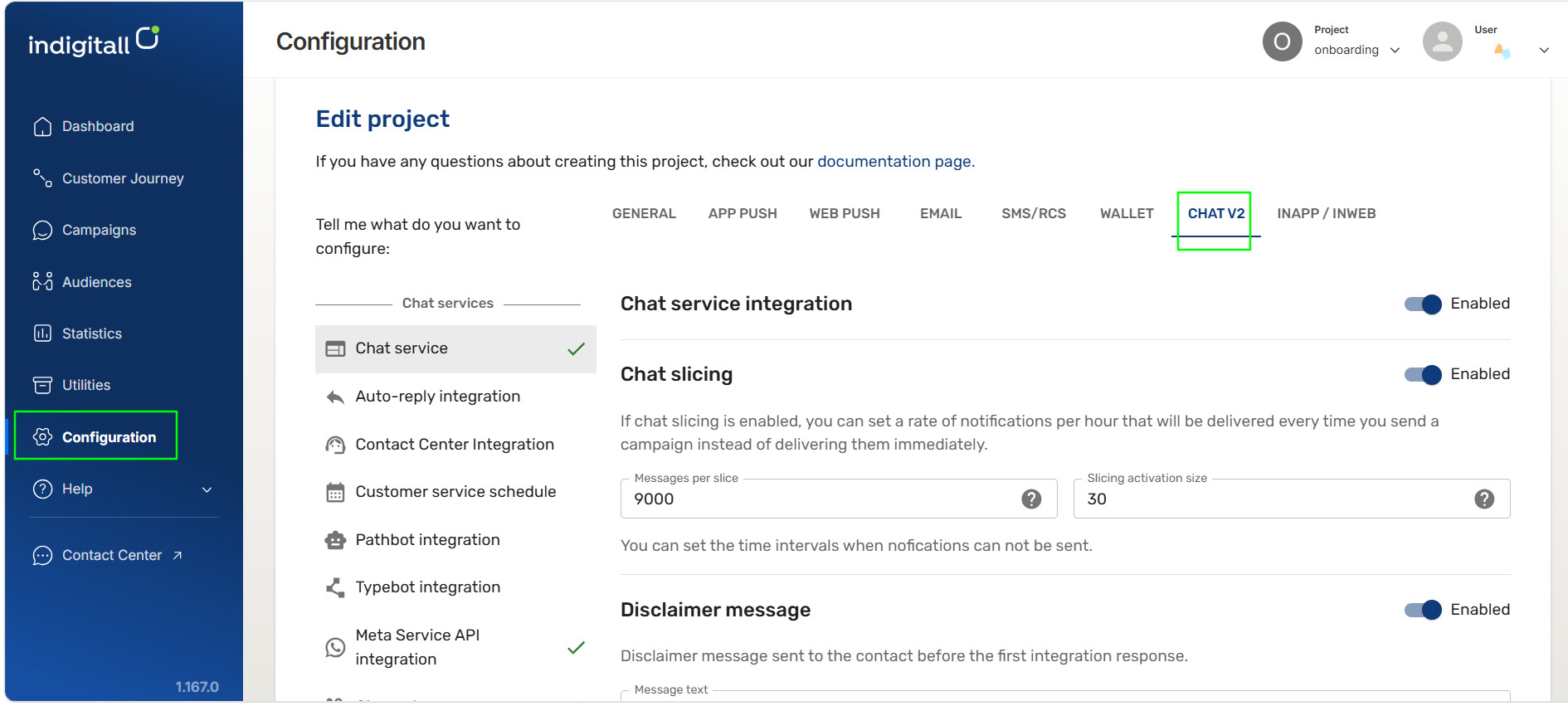
Then, select the Chat v2 tab on the upper right.
-
In the left navigation menu, select Contact Center Integration at the bottom.
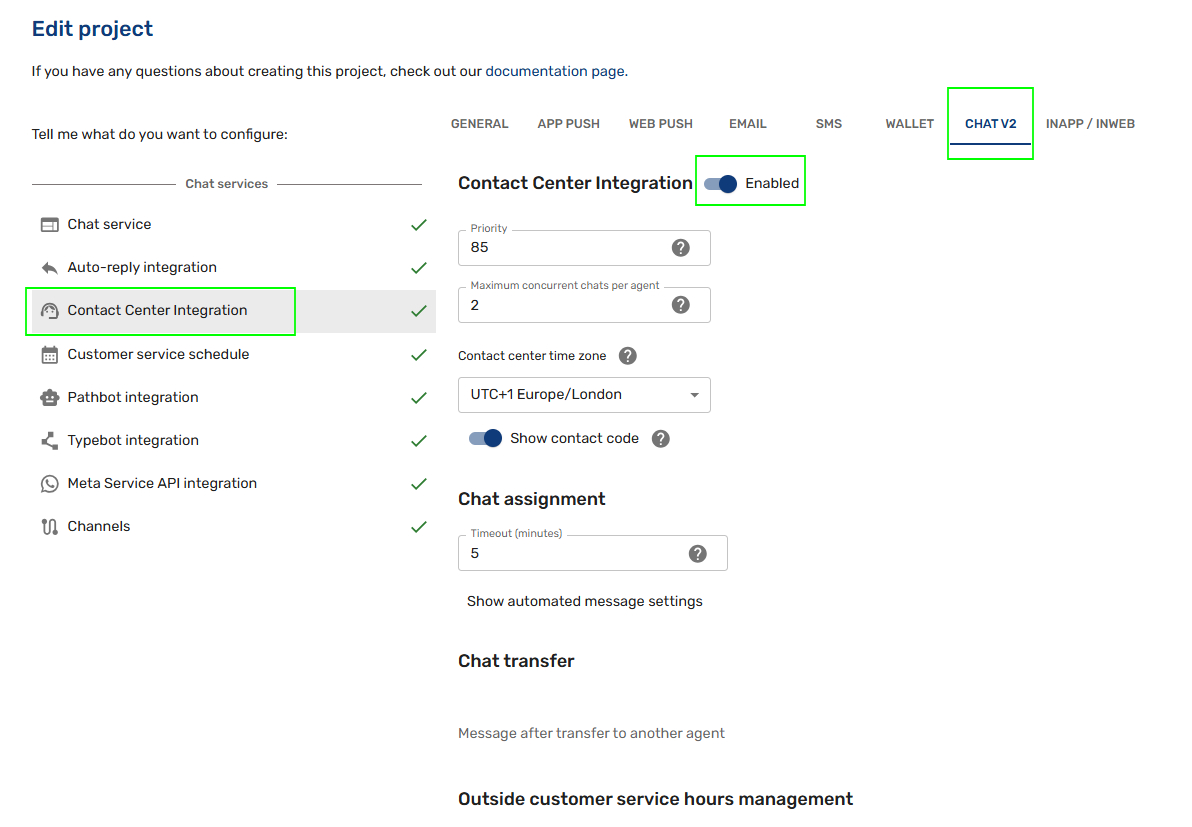
This section offers several customizable fields, giving you full flexibility to adapt the Contact Center to your team's workflow.
For further details, click here. For a step-by-step visual guide, watch the video tutorial below:
Updated 7 days ago
Did this page help you?