
AI Agent Sources
Our chatbots and AI agents are fully customizable. You can edit the specific fields within the configuration settings
To feed and manage the knowledge base for your Generative AI Agent, navigate to Utilities / Chat / AI Knowledge Sources. The primary section is titled AI Knowledge Sources.
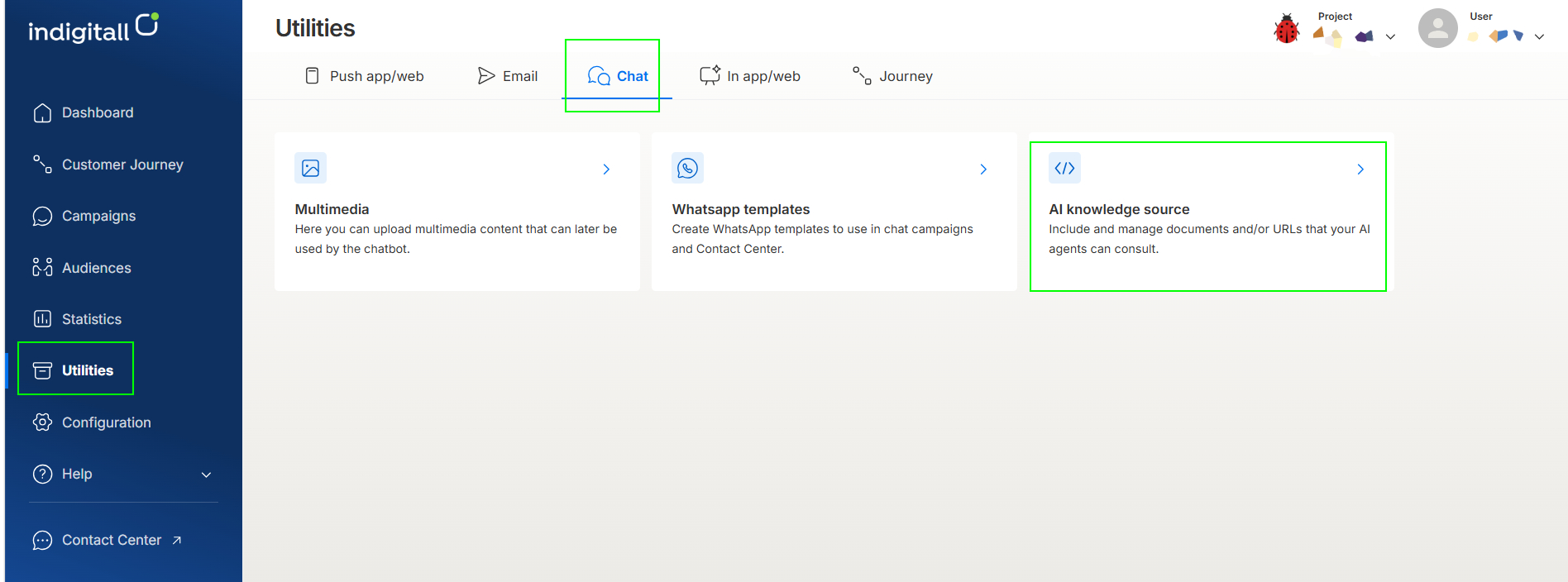
This dashboard serves as the central hub for all data sources powering your AI. While the initial setup and data upload are handled by indigitall, clients have the autonomy to enter each source to manage and expand the content.
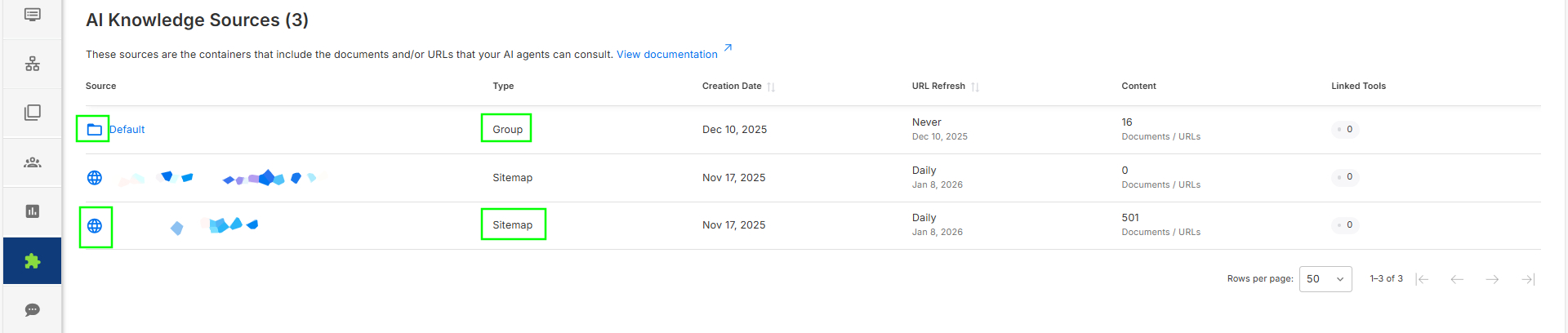
The main screen displays a list of all available sources with the following information:
- Source: The unique name of the data source.
- Type: Categorized as either Group (manual grouping) or Sitemap (web crawling).
- Creation Date: The date the source was first created in the system.
- URL Refresh: The timestamp of the last time the information was updated/synced.
- Content: The total number of URLs or documents contained within the source.
- Linked Tools: The number of active bots currently connected to this source.
Content Management
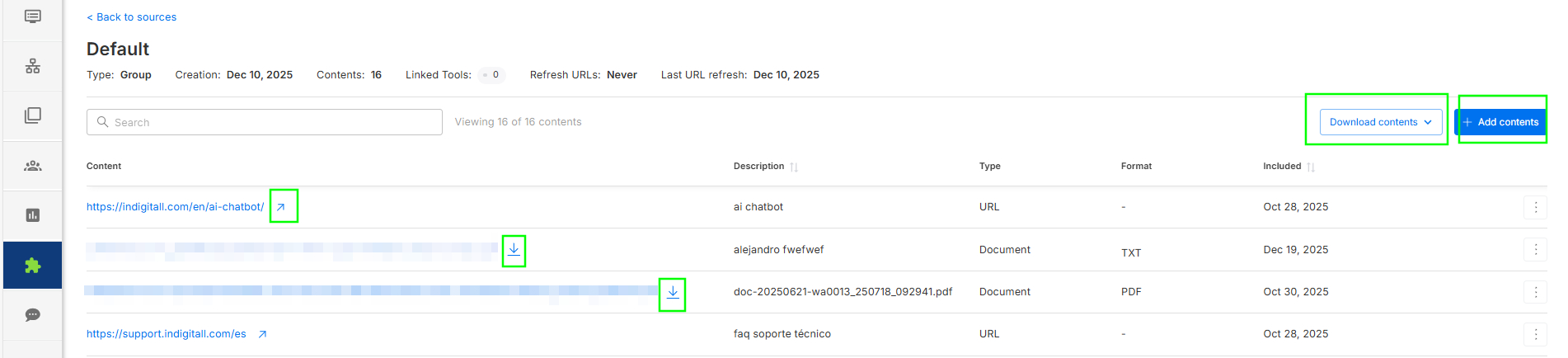
By clicking on a specific Source, you can view and manage all associated materials. Each item in the list includes:
- Content: A direct link to the resource.
- Description: A brief summary or label of the entry.
- Type: The nature of the resource (URL or Document).
- Format: The file extension (PDF or Text). Note: This field remains empty for URL types.
- Included: The date the specific content was added to the source.
From this view, you can directly download any document or click to visit the link of a specific URL.
Action Tabs
At the top of the Source detail view, there are two tabs for managing data:
Download contents
When you choose to download the full content of a Source, the system generates a compressed ZIP folder for you to save. This folder is organized as follows:
- Documents: All physical files uploaded to the source (such as .pdf and .txt files) will be included as individual documents within the ZIP folder.
- URLs & Links: All web-based content and links are aggregated into a single .csv file.
The included CSV file provides a detailed inventory of your digital links. Below is an explanation of each field:
- Name: The specific label or title assigned to the entry. This helps you identify the content at a glance (e.g., "User Manual" or "Product Catalog").
- Source Type: URL
- Source: This is the specific web address that the AI Agent uses to access the source material.
- Refresh Interval: The frequency at which the AI Agent re-scans the source for updates. This indicates how often the system checks for new or modified information to ensure the Agent's responses remain accurate and up to date.
Add Contents
Documents and links cannot be added directly to the root sitemap area. Instead, please organize all new content within a Group (folder icon). You can expand the AI's knowledge base by adding content through the following three methods:
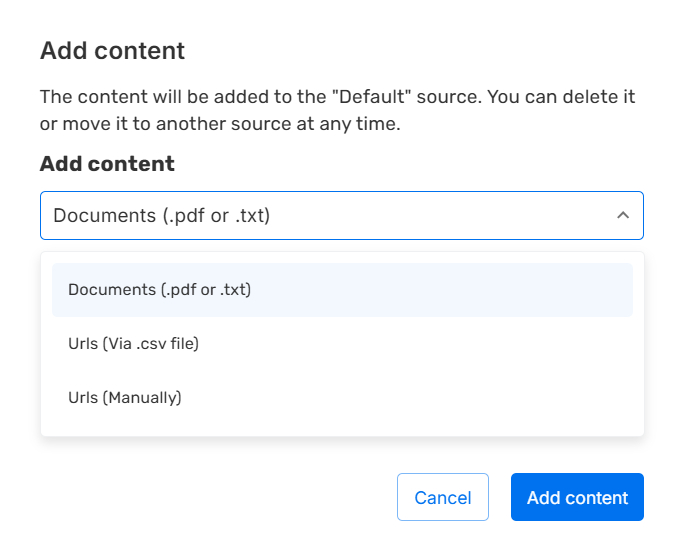
1. Documents
- Supported formats: .pdf or .txt.
- Process: Enter the document name, select your file, and click Add Content.
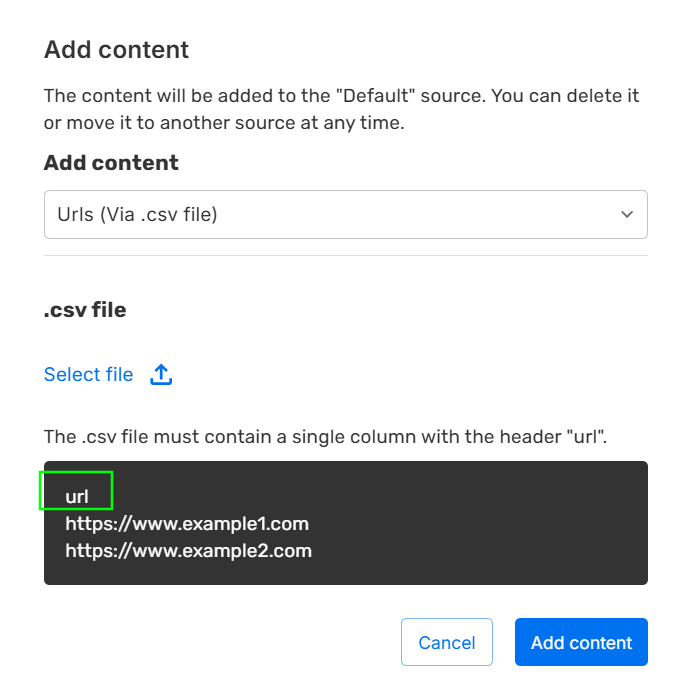
2. URLs (via .csv file)
- Requirement: The uploaded .csv must contain a header named url, followed by the list of addresses.
- Process: Select the .csv file and click Add Content.
3. URL Manually
- Process: Enter the name for the URL, input the specific web address, and click Add Content for each individual link.
Important notes
- Duplicate information or data should be avoided, as repeated content can often prevent the bot from providing accurate responses.
- Duplicate filenames are not allowed. Additionally, attempting to upload a duplicate file—even with a different name—will result in an error.
- All documents and web sources must be in the same language. The chatbot will always respond in the same language in which it is asked, regardless of the language in which the information was provided.
- Only .pdf and .txt files and web addresses (including sitemaps) are allowed to be uploaded. Do not upload images or videos, as the bot cannot interpret them. The information provided should be as close as possible to a plain .txt file. For example, if you upload emails as a source of information, the bot will respond in an email format (with a greeting at the beginning and a closing at the end of each answer).
- If the documents include links, make sure they do not appear across two lines and are not highlighted in color.
FAQ
- Who is responsible for creating new Knowledge Sources?
Initial Sources are created and configured by indigitall. Once a Source is established, clients have full autonomy to manage, add, or update the content (URLs and documents) within that Source. - What file formats are supported for document uploads?
Currently, the system supports .pdf and .txt files. If you have information in other formats (like .docx), please convert them to PDF or plain text before uploading to ensure the GenAI can process the data correctly. - Why did my CSV upload for URLs fail?
The most common reason for a failed CSV upload is a missing or incorrect header. Your CSV file must include a header in the first row named exactly url (all lowercase). Ensure there are no empty rows or malformed web addresses in the list. - How can I verify if my bot is using the most recent data?
Check the URL Refresh column in the main dashboard. This timestamp indicates the last time the system synchronized the information. If you have recently added content, the "Content" count will also increase to reflect the new items. - Can I see which specific bots are powered by a Source?
Yes. The Linked Tools column shows the number of bots connected to that specific source. This ensures you know exactly which AI agents will be affected when you add or modify content. - Is there a way to export a list of all current contents?
Yes. Inside any specific Source, go to the Download Documents tab. This allows you to generate a .csv file containing the names, types, links, and refresh intervals for every item associated with that source. - What is the difference between a "Group" and a "Sitemap" source?
Group: A manual collection of documents and URLs curated by the user.
Sitemap: An automated source that typically syncs with a website's structure to pull information dynamically.
Updated 5 days ago