
Escalating Issues to Meta Support
At indigitall, we strive to ensure your WhatsApp Business operations run smoothly. However, because Meta maintains strict control over its ecosystem, certain issues must be handled directly by you through the Meta Business Suite.
For security and privacy reasons, Meta requires the Account Administrator to initiate requests regarding business identity, advertising spend, and content policy. Since these elements are tied to your legal business entity, indigitall does not have the authorization to appeal these decisions on your behalf.
How to Open Meta Support Tickets for Your WABA
As an indigitall client, you may occasionally need direct assistance from Meta to resolve specific issues related to your WhatsApp Business Account (WABA), phone numbers, or messaging limits.
Meta provides a Direct Support portal within the Business Manager where you can open tickets specifically linked to your WABA assets.
Here is the step-by-step process to access this portal and submit your request.
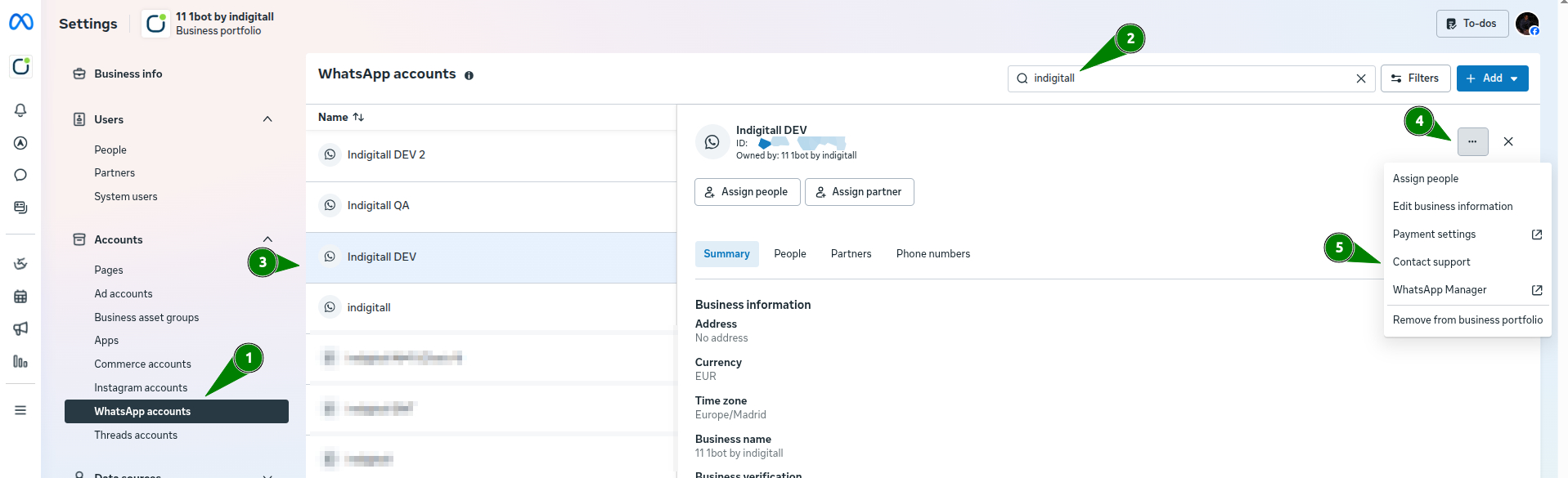
- Log in to your Meta Business Settings.
- On the left-hand navigation menu, scroll down to the Accounts section and click on WhatsApp accounts.
- Locate the specific WhatsApp account you need help with. You can use the search bar at the top or find it in the list. Click on your target WhatsApp account to open its details panel.
- In the top right corner of the account details panel, click the three dots icon(...).
- Select Contact support from the drop-down menu.
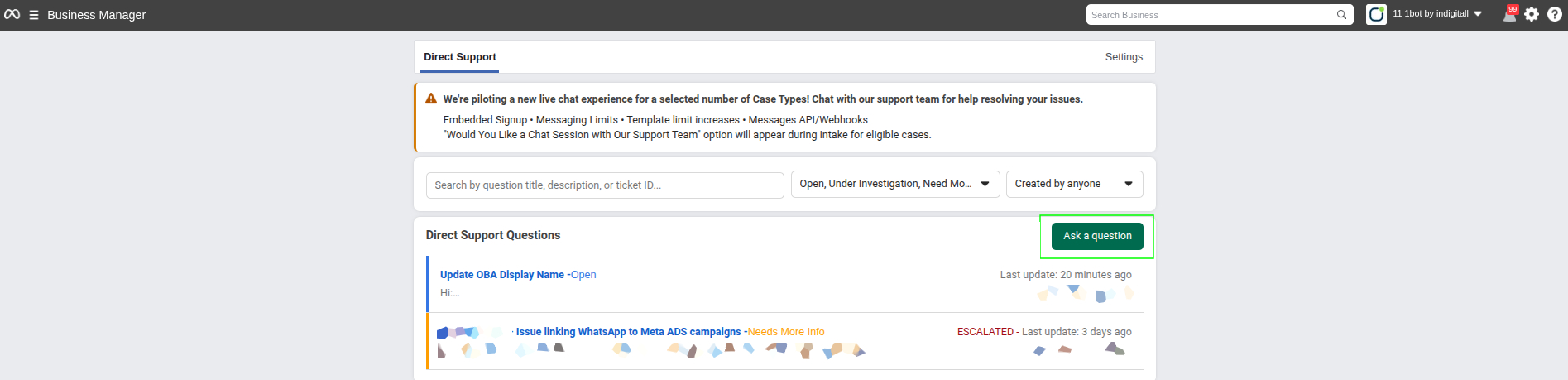
- You will be automatically redirected to the Direct Support dashboard. This page tracks all your past and open tickets.
- To create a new ticket, click the green Ask a question button located on the right side of the Direct Support Questions section.
- A support form will appear. You will need to select a category, provide details about your issue, and attach any relevant screenshots or documentation.
Meta Support Categories
When you click Ask a question, Meta will ask you to categorize your issue. Selecting the correct category ensures your ticket is routed to the right specialized team, speeding up the resolution time.
Here are the standard categories you will encounter and when to use them:
1. Account & Phone Number Management
Issues linking a new phone number to your WABA, deleting an existing number, or resolving errors related to the Display Name (e.g., if Meta rejected your requested Display Name).
- OBA Requests: You also use this category to request an Official Business Account (the green checkmark).
2. Message Templates
Appealing rejected message templates. If you believe a template was unfairly rejected by Meta's automated system, you can open a ticket to request a manual review. You can also request an increase in your template creation limits.
3. Messaging Limits & Tier Upgrades
Requesting an upgrade to your messaging tier (e.g., moving from 1K to 10K, or 10K to 100K daily messages). Note: Meta usually handles these upgrades automatically based on your sending volume and quality rating, but you can request manual intervention here if needed.
4. Account Quality & Policy Violations
Appealing account restrictions, warnings, or outright bans. If your phone number's quality rating drops to Low or becomes Flagged due to user blocks/spam reports, you can contact support to understand the violation or appeal a suspension.
5. Billing & Invoicing
Issues related to Meta's conversation-based pricing. This includes payment method failures, missing invoices, or discrepancies in your conversation billing metrics.
6. Technical Issues & API (Advanced)
Persistent delivery failures, webhook issues, or errors returning from the WhatsApp Business API. (Note: As an indigitall client, please contact our support team first for technical or API-related issues, as we manage the infrastructure on your behalf).
Always include the relevant WABA ID, Phone Number, and (if applicable) the specific Template Name or Error Code in the description of your ticket. Providing detailed context reduces back-and-forth communication with Meta support agents.
How to Open a General Ticket with Meta
If you need to open a ticket directly with Meta, please follow these steps:
- Log in to your WhatsApp Business Manager as an Administrator.
- Navigate to the Help icon at the bottom left of the screen.
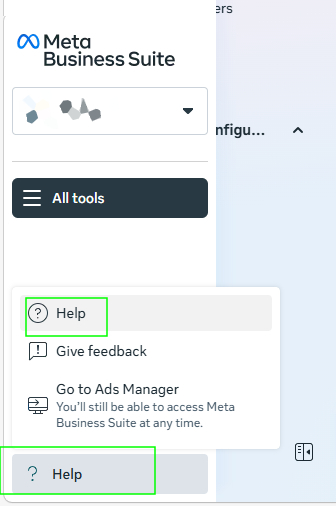
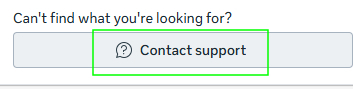
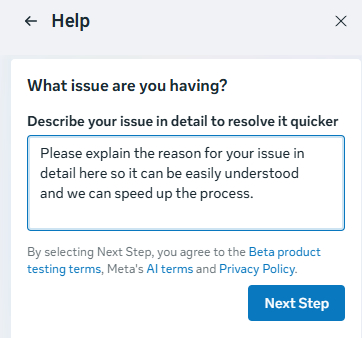
- Navigate to the Help menu on the right side of the screen and click on Contact Support at the bottom of the panel.
- Be Detailed: To ensure a swift resolution, please include error codes and a clear explanation of the business impact, then click on 'Next Step' to finalize your request.
Note: If Meta requests technical documentation or logs regarding the API during your conversation, please reach out to us, and we will provide the necessary data to support your case.
Updated 6 months ago