
Customer Events
The Shopify Customer Events feature allows store administrators to track key stages of the customer journey and sync them directly with indigitall. By capturing real-time data, such as logins, product views, cart activity, and completed purchases, you can build high-impact, data-driven marketing automation.
With this feature, you can:
- Toggle Tracking: Easily enable or disable customer journey tracking.
- Attribute Mapping: Select specific Shopify customer fields to save upon registration and map them to indigitall custom fields.
- On-the-fly Creation: Generate new indigitall custom fields directly from the configuration page.
- Custom Event Naming: Choose which events to collect and assign them personalized aliases to match your internal naming conventions.
Note: This feature is enabled by default, ensuring data collection begins immediately upon integration.
How It Works
Once activated, indigitall automatically listens for customer data and behavioral events triggered within your Shopify store.
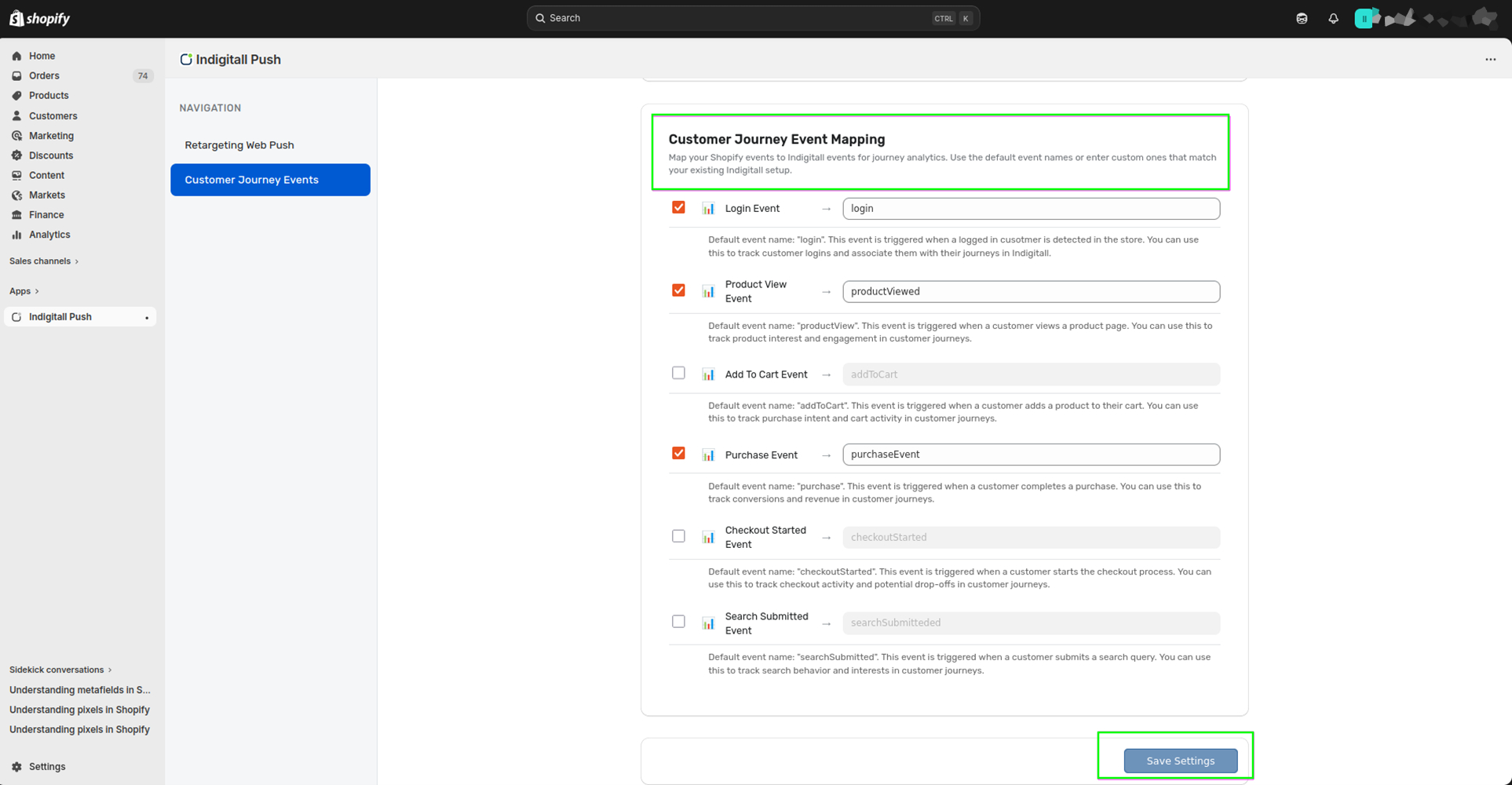
To provide maximum flexibility, the connector allows you to rename standard Shopify events to align with your existing workflows. The default event identifiers are: login, productView, addToCart, purchase, checkoutStarted, searchSubmitted.
Configuration Steps
Follow these steps to customize your event tracking:
- Navigate to the Customer Journey Events section within the Shopify app.
- Verify that Customer Journey Tracking is toggled to Enabled.
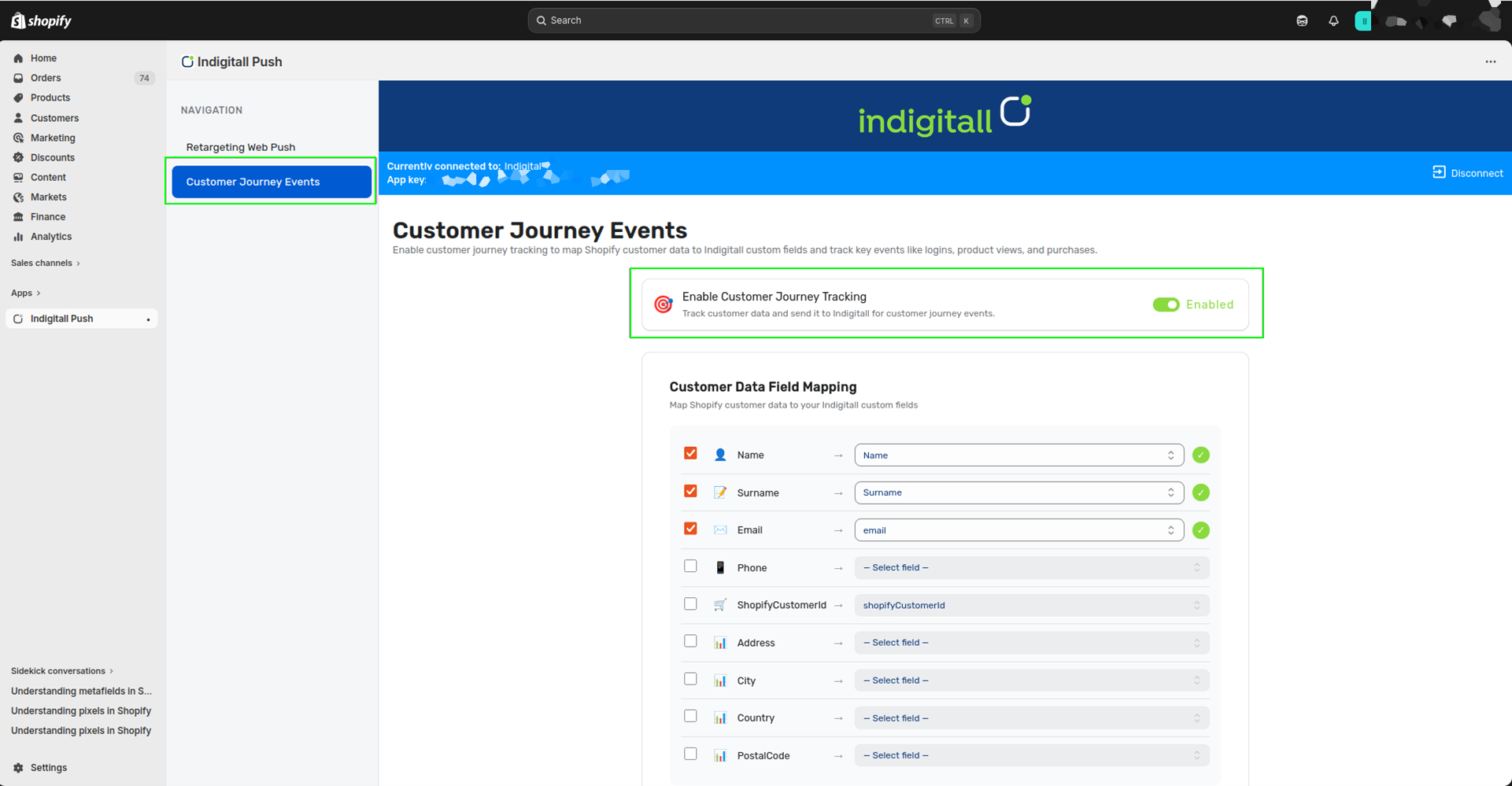
- Select the Shopify customer fields you wish to synchronize.
- Map each Shopify field to its corresponding indigitall custom field.
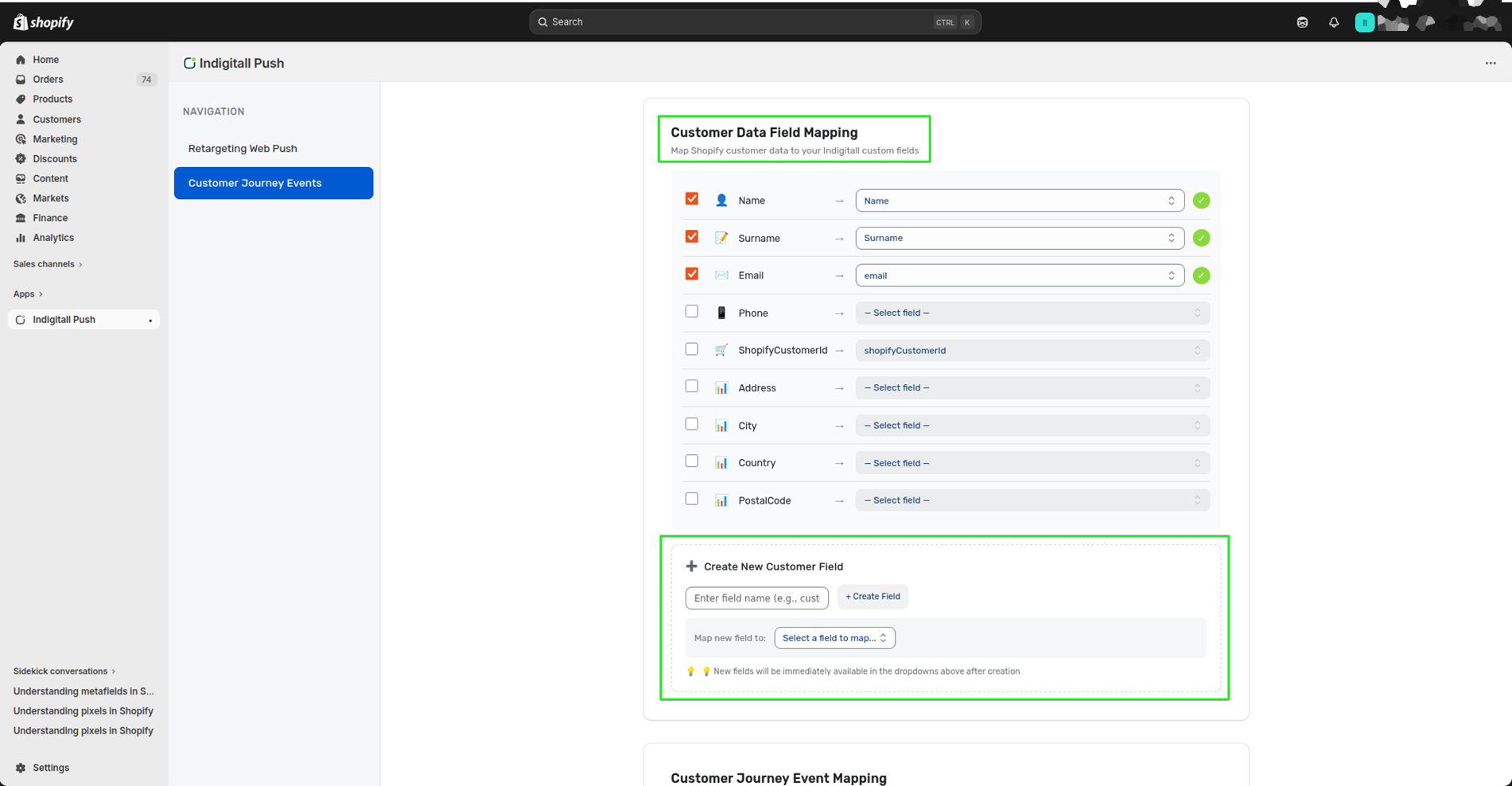
- If a required field doesn’t exist, create a new customer field directly from the mapping interface.
- Select the specific events you want to track.
- Define your event names (keep the default or enter a custom alias).
- Click Save Settings to apply your changes.
Customer Field Mapping
The connector allows you to map essential Shopify customer data directly to your indigitall fields. Standard supported fields include First Name, Last Name, Email, Phone Number, Shopify Customer ID, Address, City, Country, and Postal Code.
Only the fields explicitly selected by the administrator will be captured and mapped to indigitall.
Event Payloads (customData)
Whenever an event is triggered, it passes a specific set of variables within the customData payload. This information is attached to the event and can be leveraged later for segmentation and personalized campaigns within indigitall.
Here is the breakdown of the data transmitted per event:
- Login: Name, Surname, Email, Phone.
- Product viewed: Customer ID, Customer email, Customer name, Product ID, Product title, Product price, Price currency, Viewed at.
- Product added to cart: Product ID, Product title, Product price, Price currency, Added at, Customer ID, Customer email, Customer name.
- Checkout started: Subtotal price, Total price, Country, Language, Items, Started at, Customer ID, Customer email, Customer name.
- Checkout completed: Name, Last name, Email, Subtotal price, Total price, Shopify customer ID, Phone, Address, City, Country, Postal code, Order ID, Items, Completed at.
- Search submitted: Customer ID, Customer email, Customer name, Search query, Searched at.
Important Notes
- Default Status: Journey tracking is enabled by default upon installation.
- Real-Time Updates: Any new custom fields created directly from the configuration page will instantly populate in the mapping dropdown menus.
- Flexibility: Administrators can update these settings at any time or completely disable the feature if it is no longer needed.
Example Use Case
If your goal is to track product interest alongside final conversions, you would enable the Product Viewed and Checkout Completed events, keeping their default names. By mapping the Customer Email and Shopify Customer ID, indigitall will automatically ingest these events along with all the associated customer and order data.
Updated 7 months ago