
Icebreakers
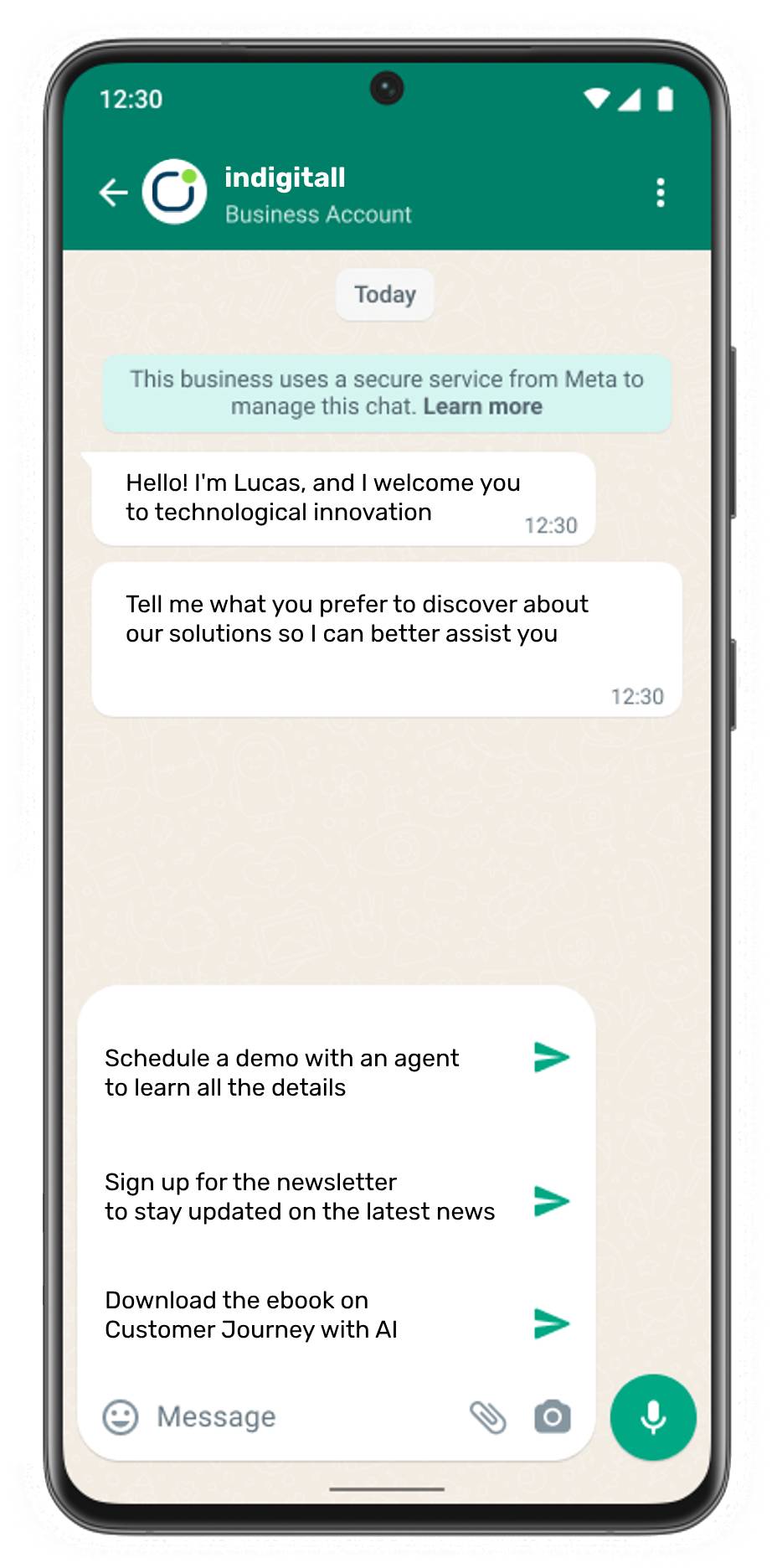
Icebreakers are customizable, clickable buttons that appear in a user's chat thread when they message your business for the first time. They help guide your customers by suggesting common questions or topics, making the initial interaction seamless.
WhatsApp offers these welcome message templates specifically designed for customer service and support departments. These text-only buttons do more than just improve the user experience; they allow you to segment your audience based on their interests, making it easier to deliver personalized messages and streamline issue resolution or inquiries.
The indigitall advantage
By using the indigitall Contact Center, you can link these icebreakers to specific agents categorized by their roles, such as department or language. Furthermore, our Generative AI chatbot is automatically fed with the most relevant information for that specific context, ensuring your customers receive immediate and accurate assistance from their very first click.
Configuration
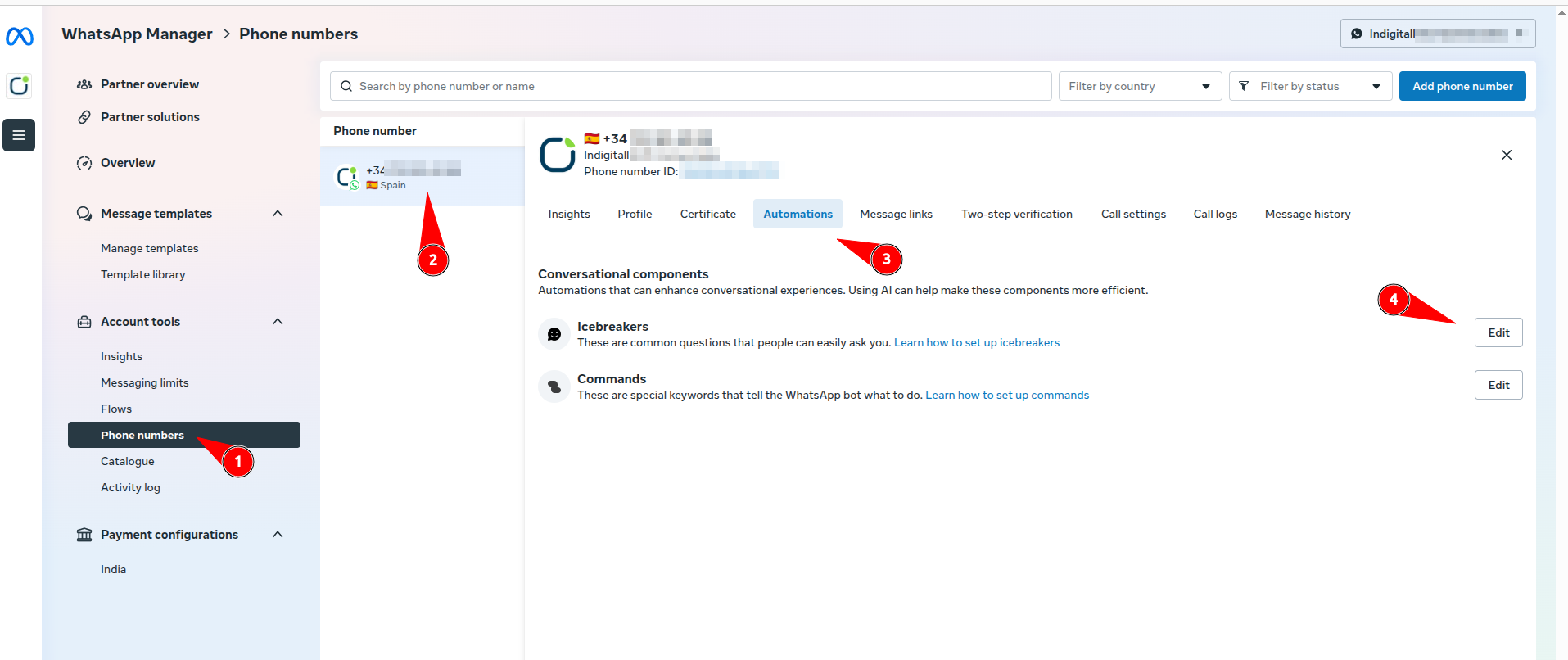
To configure Icebreakers at the phone number level, please access your WhatsApp Business Manager following the steps highlighted in the image:
1. Navigate to Phone Numbers: In the left-hand sidebar menu under Account tools, click on Phone numbers.
2. Select your Number: Locate the specific phone number you wish to configure and click on it.
3. Access Automations: In the horizontal management menu, click on the Automations tab.
4. Edit Icebreakers: Under Conversational components, click the Edit button next to Icebreakers to start adding your custom questions.
Updated 9 months ago