
Projects
All activities take place within a project. These workspaces function as isolated environments for data, enabling you to keep different brands or companies separate. Different versions of your website or mobile app can send information to the same workspace.

Project settings now in Configuration
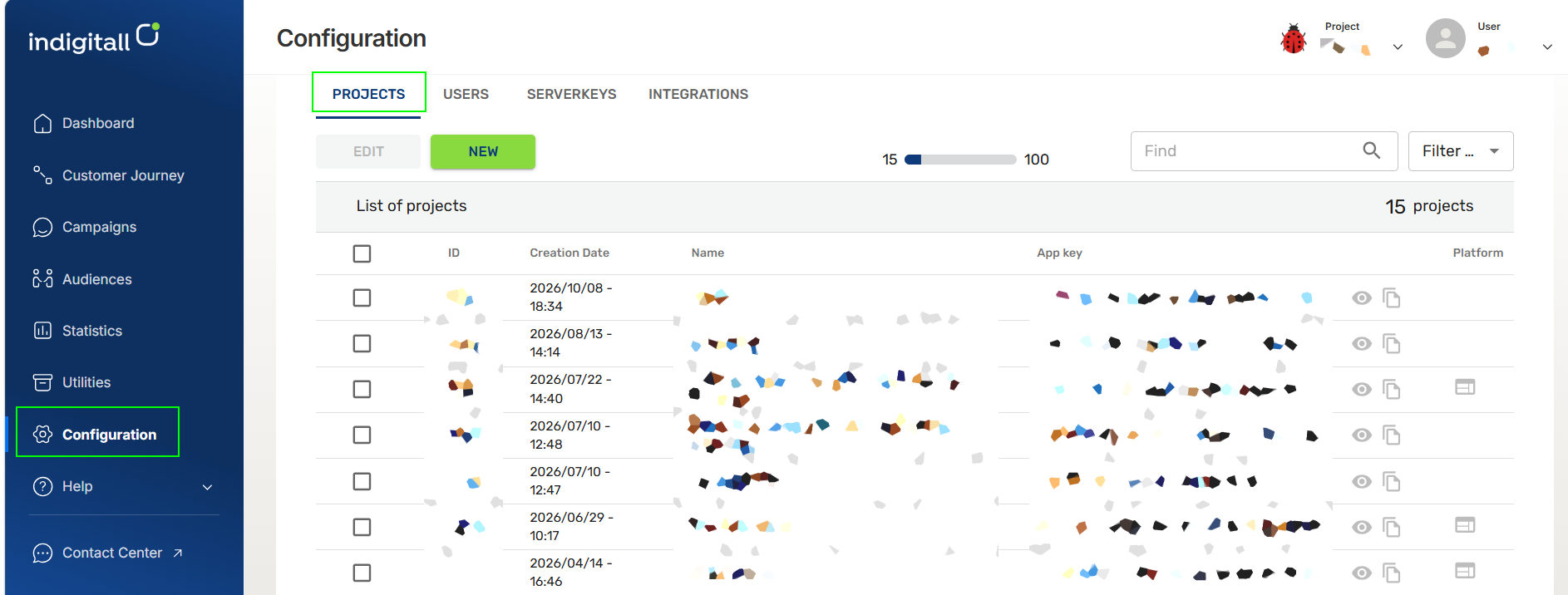
Starting October 14, project settings live in the Configuration section of the main left-hand menu. Click Configuration to go straight to your project management tools, which are organized into four tabs:
- Projects: View all your projects with their ID, creation date, name, App key, and platform. From here you can create a new project, edit an existing one, search by name, and filter the list. Use the action icons to view project details or copy the App key.
- Users: Manage the users who have access to your projects.
- Serverkeys: Manage the server keys used for API access.
- Integrations: Set up connections with third-party platforms.
Updated 20 days ago
Did this page help you?